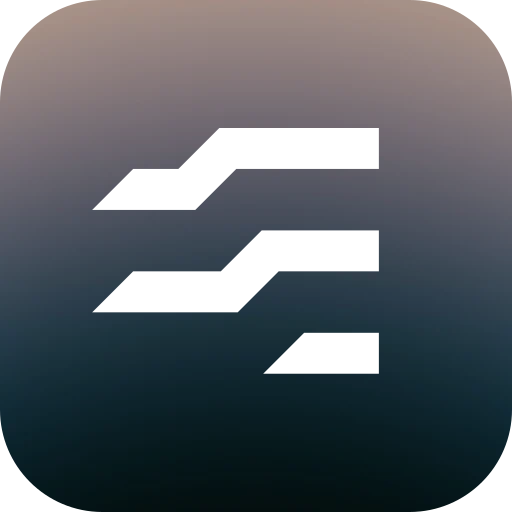
Primary identity
PhaseThe strategic hero
An open E, with two complete tracks and a deliberate lower terminal. The moment financial awareness becomes personal strategy.
App icons, avatars, headers and first introductions.
The personal perspective. Economio = Economy + mío. An international name with a deeply personal centre: your money belongs to you.
Our promise
Agency, autonomy and ownership. Useful clarity that helps people decide for themselves.
03 / 71
Economy + mío
The economy. Made personal.
Economio brings the analytical clarity of economics and technology into a space that belongs to the individual. The Spanish mío means “mine”: a small word that places ownership at the heart of the name.
The wider economy may be shaped by institutions. Your own economy is yours to understand, direct and build. Economio quiets the noise and helps you see what you can act on.
One personal perspective. Three visual states.Phase. Our primary mark. A capital E distilled into two complete tracks and an open lower terminal. Sharp turns and deliberate space make a clear, recognisable anchor for Economio.
Default state
Use Phase for first introductions, app icons, profile avatars and every place where one enduring mark is needed.
04 / 71
A system with a point of view. From the wider flow of money to a strategy of your own. Three expressions of the same identity, each with a clear purpose.
05 / 71
An open E, with two complete tracks and a deliberate lower terminal. The moment financial awareness becomes personal strategy.
App icons, avatars, headers and first introductions.
The lower track completes the E. Three sharp, connected rails express the continuous movement of money and the landscape around us.
Brand storytelling, broad overviews and transitions into the wider picture.
The tracks separate into six angled planes. A shift in perspective brings the individual’s own patterns, priorities and progress into focus.
Insight stories, personal milestones and focused analytical moments.
In website and app headers, the full-weight black Phase master lives inside a white square in both themes. Keep the same 18-unit stroke and 12-unit channel at small header sizes: this clear ground supports the complete mark. The 80% inner field and optical correction balance its placement. A 12 px gap gives the live Google Sans wordmark room beside it. Reserve the photographic square for app icons and expressive artwork.
06 / 71
The product keeps its original live Google Sans wordmark, weight and tracking. Fixed artwork is supplied as Google Sans 600 outlines. Keep the typography consistent within each application; never substitute another typeface.
07 / 71
One stroke. One gap. One stroke rule and one gap rule per mark, measured perpendicular to the facing edges. The display master’s 6-unit module gives an 18-unit stroke and 12-unit clearance. Optical cuts adjust the shared stroke and gap for smaller placements.
Clear space
Keep at least one stroke (18 master units) clear around the visible mark. The 120-unit drawing field is an export frame, not a substitute for external clear space.
08 / 71
Use ink on a light ground, white on a dark ground, or white over the existing brand photography. Preserve contrast and let the ambient light surround the mark.
09 / 71
The same mark. Optically sized. At small sizes, the tracks become lighter and the channels open. Resize the mark to compare its responsive geometry with the display master. Phase, Current and Parallax share the same optical rules.
10 / 71
12 u stroke · 18 u gap
18 u stroke · 12 u gap
Small, and still recognisable. Use static Phase for small or persistent placements. The interface cut uses a 12-unit stroke and 18-unit gaps at 32–48 px. The 16 px micro cut keeps a little extra weight for the pixel grid; display artwork retains the approved 18 / 12 master from 96 px. Intermediate sizes adapt smoothly. Keep motion for larger, intentional moments.
11 / 71
Give each state a purpose. Phase builds recognition. Current expresses continuity. Parallax introduces the individual point of view. Use the system to support a story, with Phase as the anchor.
12 / 71
| Form | Role | Where it belongs |
|---|---|---|
| Phase | Primary identity | App icons, avatars, headers and first introductions. |
| Current | Continuity | Brand storytelling, broad overviews and transitions into the wider picture. |
| Parallax | Perspective | Insight stories, personal milestones and focused analytical moments. |
These are expressive states of Economio, not separate products or levels of service. Phase remains the default when context is limited.
See the identity moveKeep the family together.
13 / 71
Use supplied masters at a shared scale, with their original angles, clearances and outlined wordmark. Start with Phase.
Do not stretch the marks, round their corners, change individual bar weights or invent additional resting states.
Current. Phase. Parallax. Current completes Phase’s third stroke. Parallax separates the rhythm into six planes. All three use the same 18-unit stroke and 12-unit clearance, at the same scale.
14 / 71
Family 06 / Shared 18-unit strokes, 12-unit clearances and one display scale.
Phase, completed. Switch between Phase and Current to see the lower stroke complete. Their two upper paths and existing terminal stay in the same position.
15 / 71
The two upper outlines are identical. Completing Current changes only the third path; the existing right-hand terminal is retained inside it.
All three use one display scale. Parallax keeps its gentler slant, with the same normal thickness and clearance as the folded forms.
The completion view holds the terminal positions fixed. Standalone specimens are centred within the common field without resizing their bars.
Phase's first two strokes stay exactly as they are. The short lower terminal becomes a full folded rail, completing the three-part rhythm.
Refinement
This is a literal completion of Phase. The first two outlines are shared, and the existing lower terminal is contained inside the new third stroke. Weight, gap, folds and right-hand terminals do not change.
16 / 71
The actual outline and two measurements of the same clearance. The channel is governed by its shortest distance through each turn.
17 / 71
Construction
The same 6-unit module drives both forms: an 18-unit stroke, 12-unit clearance, 30-unit normal pitch and 45° folds. Current uses all three complete rails from the family construction.
Placement and proportions
Current and Phase share canonical coordinates. The completion study keeps that registration fixed. Standalone specimens are centred within the common 120-unit field without changing scale.
The approved two planes and short terminal, preserved exactly. Its construction is now the source of the family rather than an independent drawing.
Refinement
Phase's Geometry 04 outlines are unchanged. Current completes its lower stroke; Parallax adopts its 18-unit normal weight and 12-unit gaps. All three are shown at a common scale.
18 / 71
The actual outline and two measurements of the same clearance. The channel is governed by its shortest distance through each turn.
19 / 71
Construction
Two complete family rails and the right-hand terminal of the third. The stroke is 3 modules, the gap 2, the pitch 5, and the rise 2. Every diagonal boundary uses the same √2 offset.
Placement and proportions
The visible Phase outline remains 84 × 78. It occupies the same 120-unit field as the other forms. Its strokes are not enlarged to make its outer height match Current or Parallax.
Six slanted planes, now carrying exactly the same 18-unit stroke and 12-unit clearance as Phase and Current. The gentler 2:1 slant remains its distinguishing arrangement.
Refinement
Each bar is one module longer: 42 units rather than 36. The columns extend outward from the same centre seam. The family's 18-unit stroke, 12-unit gaps and common display scale are preserved.
20 / 71
The actual outline and two measurements of the same clearance. The channel is governed by its shortest distance through each turn.
21 / 71
Construction
Each bar spans 42 units, or 7 modules. At a 2:1 slope, the vertical stroke is 18√1.25 and the row pitch is 30√1.25. Both the centre seam and perpendicular inter-row gaps remain 12 units.
Placement and proportions
The visible outline is now 96 units wide, giving the six bars a broader balance. It stays centred in the common 120-unit field, at the same drawing scale as Current and Phase.
One scale. Three lockups. The symbols share a fixed drawing scale, so their bars remain equally thick beside the wordmark. Different outer heights are preserved.
22 / 71
All symbols use a scale of ⅔: every stroke is 12 u and every gap is 8 u in these lockups.
16 u between symbol and wordmark. A common 80 u symbol field preserves the same bar scale across all forms.
Existing Google Sans 600, −0.046 em tracking. Kerning and letterforms preserved as outlines.
One family, at every size. Actual 16, 24, 32 and 48 px optical exports. The enlarged raster reveals how the size-specific construction renders, with the same angles and normal pitch.
23 / 71
Each export uses the optical geometry for its intended size: lighter tracks and clearer channels. Angles, normal pitch and the 120-unit field stay shared. The approved display masters remain intact.
The family, in context. Explore all three approved states on the brand photography and plain grounds. Download each symbol or outlined lockup in ink and white.
24 / 71
All three use the same 18-unit stroke, 12-unit gap, fixed drawing scale and typography.
Transparent SVG / Selected direction
Ink is the brand colour: the wordmark, primary actions and the selected option. Neutral greys give the work space, with no blue or green tint.
25 / 71
--brand--bg--surface--surface-raisedGrey text keeps a contrast of at least 4.5:1 on every surface, in both themes. Lines separate without drawing attention.
26 / 71
Muted tones for budgets and charts. Each keeps one meaning wherever it appears.
27 / 71
--chart-green--chart-teal--budget-everyday--chart-blue--chart-yellow--chart-blue-greyStatus colours say what happened. Green means success; danger colours appear only where something needs attention.
28 / 71
Keep colour meaningful.
29 / 71
Use ink for the one most important action, and let photography and data supply the colour.
Do not introduce a brand hue, tint the greys or use danger colours to judge spending.
Open, round and easy to read at every size. One variable font carries every weight Economio uses.
30 / 71
Swedish and Danish letters, currencies and the punctuation of careful writing: curly quotes, en and em dashes and a true minus.
31 / 71
ABCDEFGHIJKLMNOPQRSTUVWXYZ
abcdefghijklmnopqrstuvwxyz
0123456789 åäöéü
kr € $ £ % + − × ÷ = ( ) , . : ; ’ “ ” – —
Four weights, each with one job.
32 / 71
Large figures and two-tone headlines carry the personality; supporting text stays small and quiet.
33 / 71
YOUR PERSONAL FINANCE APP.
Make sense of your finances and give your money direction.
Track your spending, build a budget and keep track of your savings.
The whole amount leads. Decimals and currency follow at half size in the tile's grey, without changing the formatted text.
Tabular
Amounts that change use tabular figures, so columns line up and values don't shift.
34 / 71
23 290,75 kr
The sizes in use today, from the website headline to the eyebrow.
35 / 71
Keep type calm.
36 / 71
Write headlines as one thought in two tones, in sentence case and British spelling.
Do not add a second typeface, set app controls in capitals or animate amounts with counters.
One mark. Always becoming. Complete. Separate. Refocus. Play the continuous geometric transformation, choose a state, or scrub through the motion. Phase is the primary and resting form.
37 / 71
A deliberate rhythm. The identity moves through three exact resting states. Intermediate forms connect them; they are never used as standalone logos.
38 / 71
| State | Rest | Change |
|---|---|---|
| Phase | 3.0 s across the loop boundary | Draw the lower rail out of the terminal → Current, 1.0 s |
| Current | 1.2 s | Pull the rails taut, part them at the seam and turn the planes → Parallax, 1.5 s |
| Parallax | 1.2 s | Close the seams, fold the rails and draw the lower rail home → Phase, 1.6 s |
Each change takes the time its geometry needs, and the rails follow one another 120 ms apart. Shapes accelerate gently and land slowly; a rail parts with the product’s own motion curve. The loop has no blank frame, spin, colour change or scale pulse. The approved masters are exact at every resting state, and every frame between them is built from the same construction: the rails keep their 18-unit stroke as they straighten, part and turn.
Move with intention.
39 / 71
Use a single cycle for introductions or milestones. Reserve the repeating loop for brand showcases. Keep static Phase in navigation, app icons and small placements. Respect reduced motion.
Do not run the identity continuously beside charts or financial work, imply loading or transaction progress, or use a state to judge someone’s financial position.
Four durations cover every interface movement. Press Play to compare them.
40 / 71
--motion-fast120msPress feedback--motion-feedback200msHover, focus and status changes--motion-enter320msPage content and dialogs--motion-reveal900msWebsite and sign-in entrancesBrand photographs wander slowly along a looping path. Their faintness keeps the movement calm, and no edge ever shows.
Duration
Each leg of the path takes 26 seconds.
41 / 71
Pages crossfade while the top bar holds still. The address changes at once; a transition never holds the page back.
42 / 71
Pressed buttons scale slightly, arrows nudge toward where they point and summary tiles lift. Try them.
43 / 71
When a device asks for reduced motion, everything stops: photographs hold still, pages change at once and nothing animates.
44 / 71
This device…
An amber beam of light out of black, with fine grain, used upside down so the light falls from the top right. For the dark theme, the website and sign-in.
45 / 71

Soft peach shapes on pale blue: “Dreamy Abstract Scene” from Lummi. For the light theme.
46 / 71

A warm dusk fading into deep petrol, under a light veil. A quiet photographic ground for the Phase mark and the identity’s expressive states.
47 / 71

In the app, the theme's photograph sits faintly in the top-right corner and fades out before the page text.
Contrast
Wash strengths are the highest that keep grey text at 4.5:1 everywhere beneath them. Recheck when anything changes.
48 / 71
YOUR FINANCES
Financial overview
Review your income and spending, check your budget and see your savings balances.
Fine grain over the dark photograph keeps its textured character. Small surfaces, such as the logo tile, stay grain-free.
Strength
9% over the dark photograph; none in the light theme.
49 / 71
Surfaces are generously rounded, every control is a pill and icon badges are circles. Four tokens cover every shape.
50 / 71
--radius-tileTiles, panels, dialogs--radius-innerBoxes inside a panel--radius-fieldText fields and selects--radius-pillButtons, filters, tabs50%Icon badgesKeep it faint.
51 / 71
Keep photographs faint, fade them before text and choose large, soft shapes of light.
Do not place photography behind numbers, tables or charts, or use pictures that tell a story of their own.
Economio helps people see what comes in, where it goes and what they have saved, so they can make their own decisions with useful information in front of them.
52 / 71
The pretitle says what Economio is. The headline gives a reason to use it. The supporting copy says how.
The headline-only test
Hide everything but the headline. Could a first-time visitor tell what they would gain?
53 / 71
A product promise, not a promise of returns, savings or a particular feeling.
54 / 71
| Promise | Product evidence |
|---|---|
| Understand your spending | Category totals link to the transactions behind them. |
| Make a usable plan | Budget targets sit beside actual income and spending. |
| Follow your savings | Recorded balances, deposits and withdrawals show changes over time. |
| Keep the right context | Date periods, currencies and transfer controls explain what is included. |
| Know what to do next | Empty states and errors describe the situation and the available action. |
Six qualities, each with what it means in practice.
55 / 71
| Quality | In practice |
|---|---|
| Clear | Name the subject and the action. Use familiar words. |
| Grounded | Describe what the product actually does today. |
| Friendly | Speak directly to “you”; use natural contractions. |
| Knowledgeable | Explain distinctions that affect the result. |
| Helpful | Say what happened and what the person can do. |
| Respectful | Report amounts and choices without judgement. |
Your spending is out of control.
You’re 240 kr over this target.
Your savings story starts here.
Add a balance to start tracking this account.
Together in one calm place
See what comes in, what goes out and what you’ve saved.
Small steps, at your own pace
No savings goal set. Edit this account to add one.
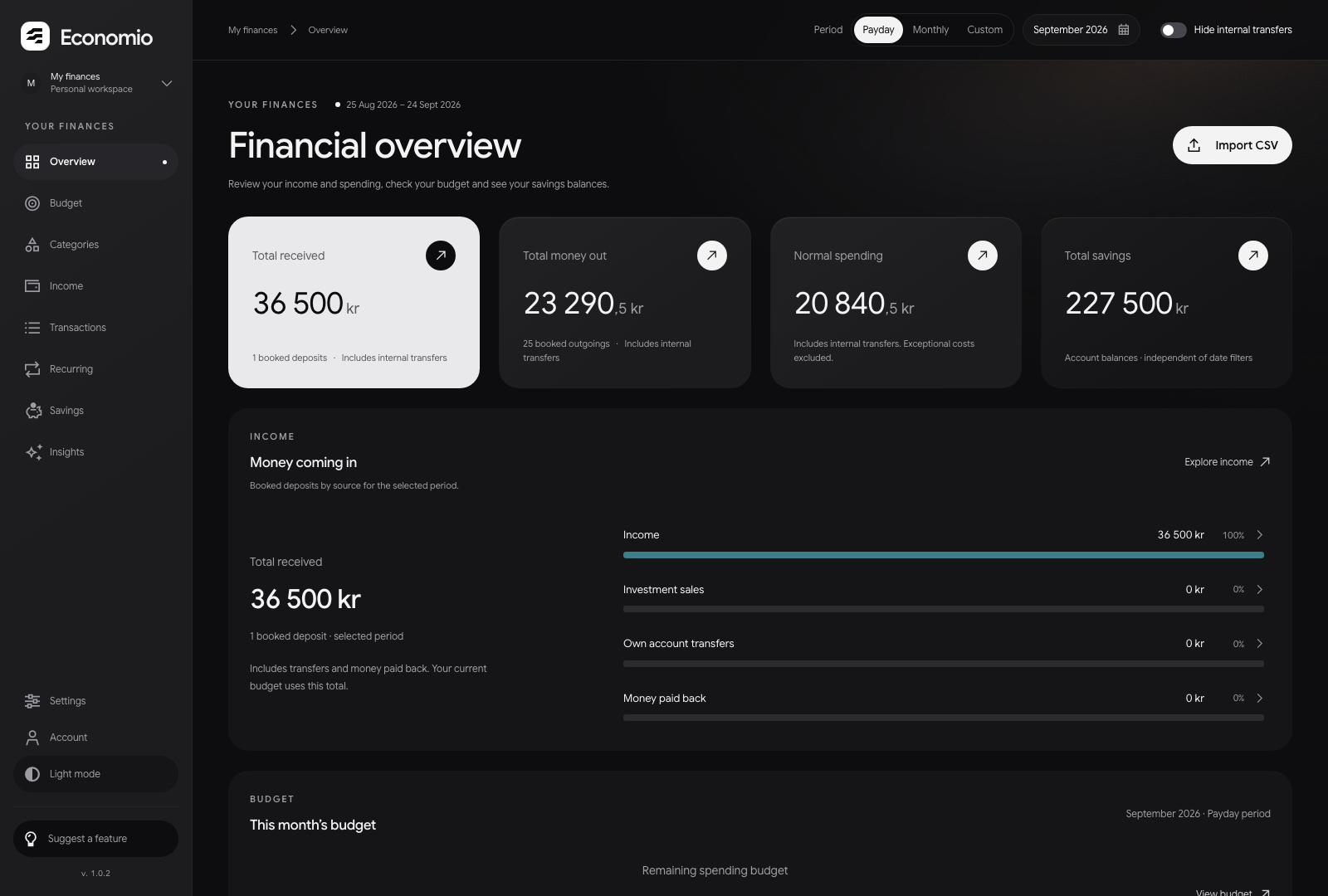
The Overview puts the numbers first: one inverted hero tile, quiet surfaces and the theme's photograph faint in the corner.
60 / 71
One inverted hero tile per row; the rest sit on the surface. The round badge inverts its tile's colours.
61 / 71
Hierarchy comes from fill, not colour: one solid ink pill per view, outlines for the rest and solid ink for the selected option.
62 / 71
The website is always dark. Its headline names the benefit in ink and the consequence in grey, over the dark photograph.
63 / 71
YOUR PERSONAL FINANCE APP.
Make sense of your finances and give your money direction.
Track your spending, build a budget and keep track of your savings.
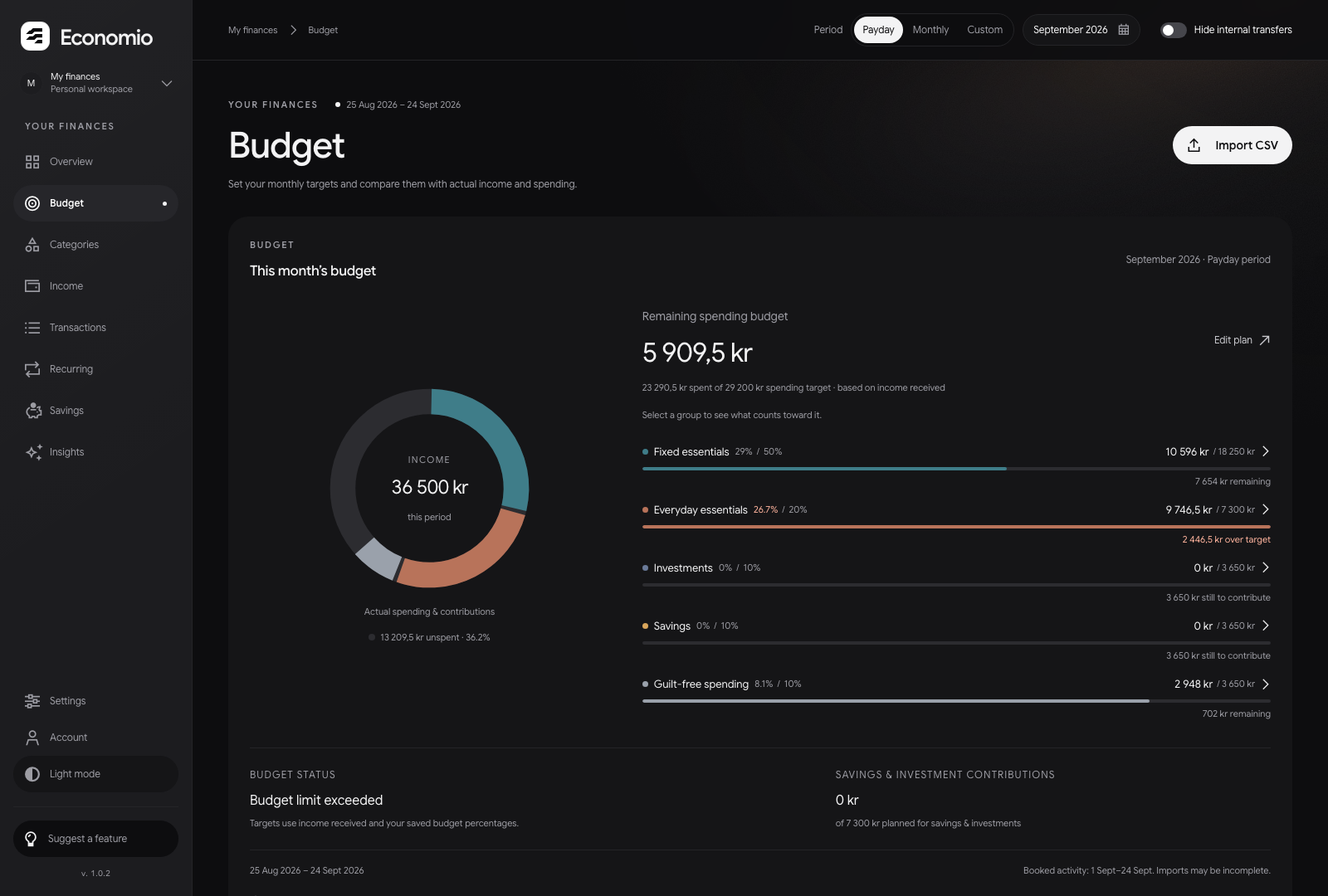
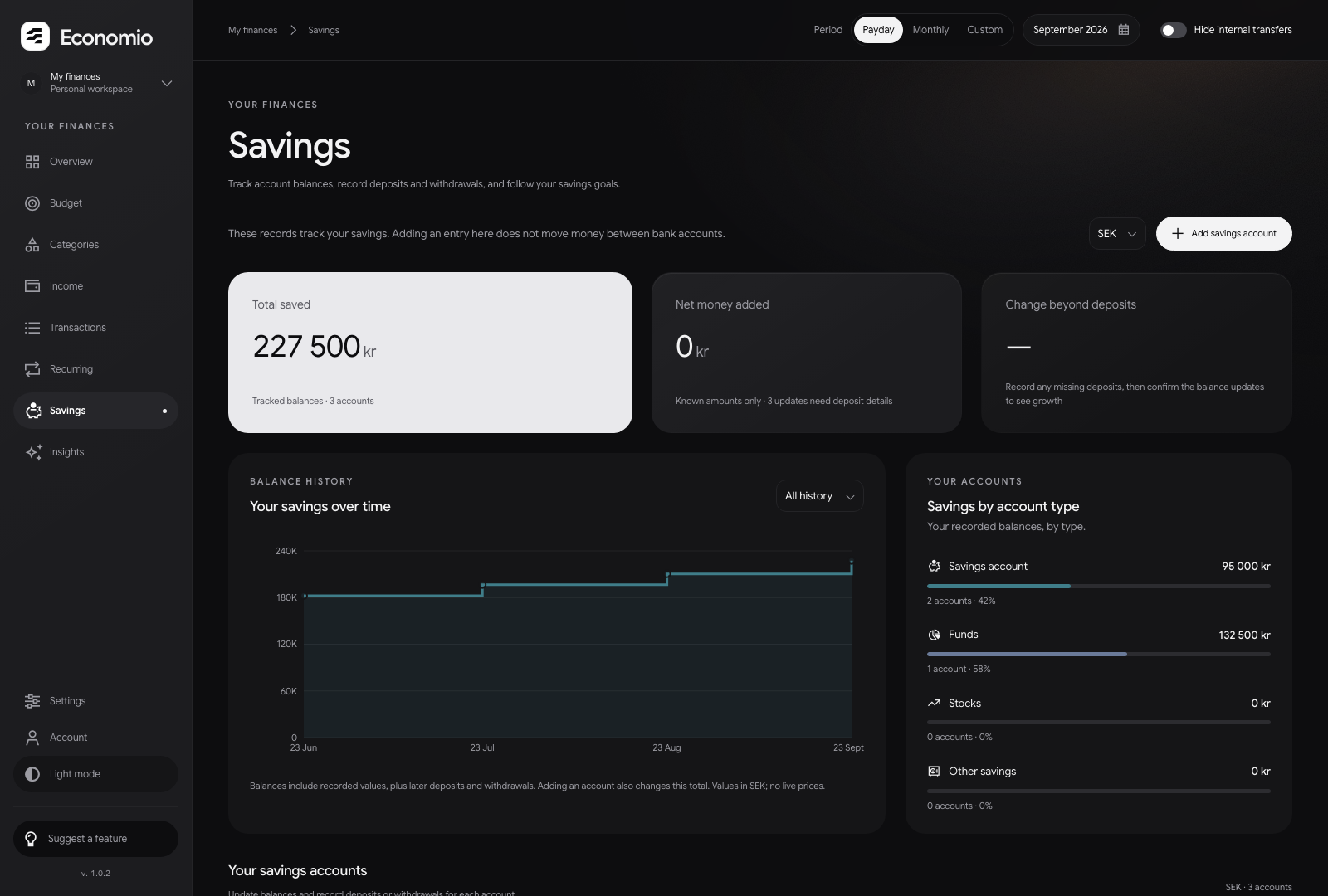
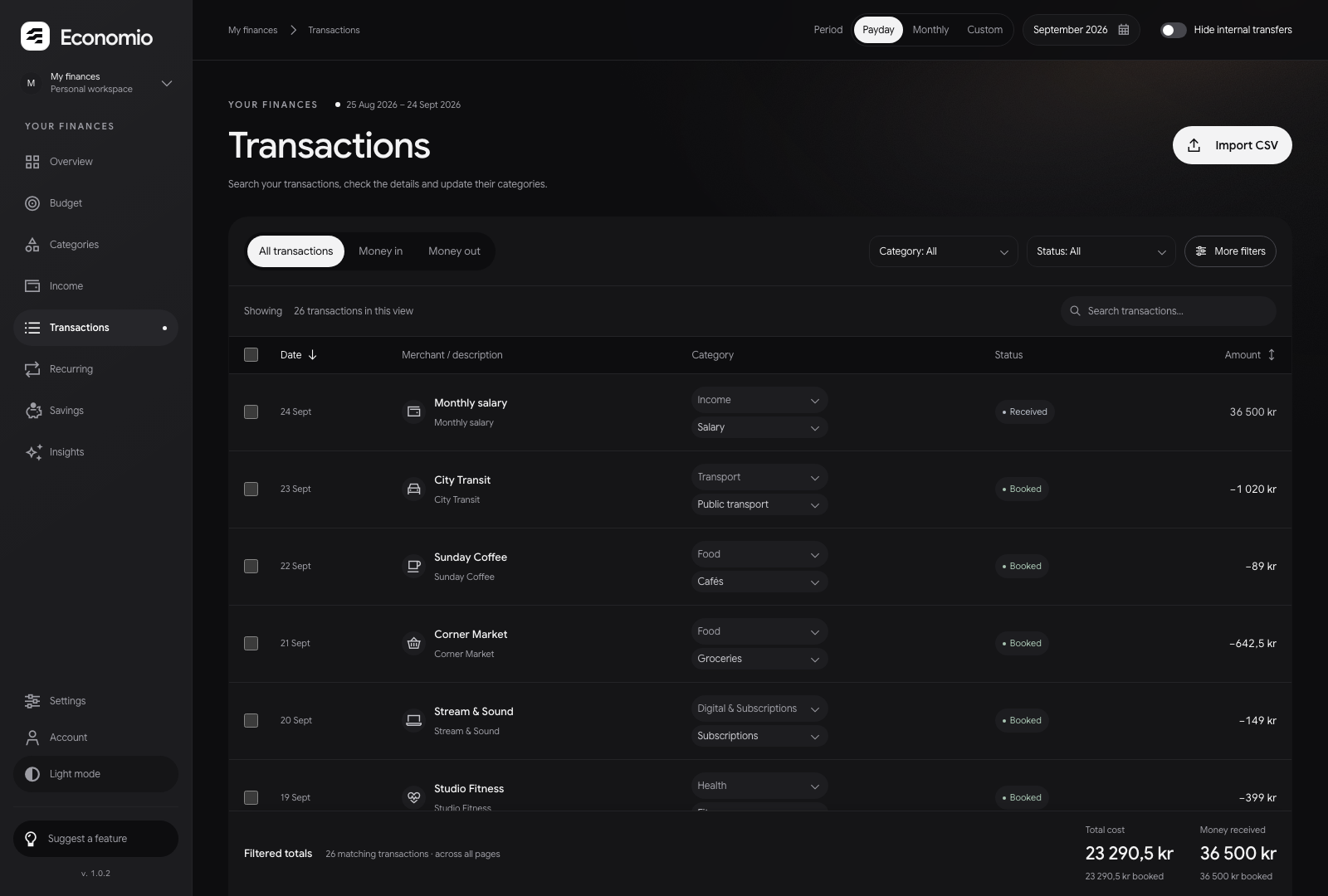
Create your accountBudget, savings and transactions, captured from the actual app with invented records.
64 / 71
Your mark. Inside the square. Phase, Current and Parallax in the original photographic square. Choose the optical size for where the mark will live, then download a complete SVG or PNG.
65 / 71
Optical size sets the stroke and spacing for its intended use. PNG size sets the image resolution. SVG keeps the selected geometry at any scale.
The brand photograph is included in every file. Rounded corners remain transparent; the square’s proportions, white mark and fine edge match the product.
Phase is the primary. Each state is supplied as an ink or white SVG, with a symbol master and an outlined signature. The same canonical geometry drives the book, the downloads and the motion.
66 / 71
Micro for the smallest standalone marks. Interface for small standalone marks and photographic app icons. Display for large artwork, motion and the black-on-white header square at every size. Each cut is supplied for all three states; choose for the placement as well as the size.
67 / 71
Micro: 14 / 16. Interface: 12 / 18. Display: 18 / 12. Values are stroke / perpendicular gap in the shared 120-unit field. The app interpolates between the reference sizes automatically.
The production Phase icon set. Browser tabs use the plain ink tile; home-screen icons keep the existing brand photography. The SVG favicon uses Micro; ICO entries have size-specific cuts. Home-screen icons use Interface. The framed symbol preserves room for platform crops, including the maskable Android icon.
68 / 71
A portable animated SVG: the complete loop, on a transparent ground. It shows static Phase when the viewer requests reduced motion. Use the static masters wherever SVG animation is unsupported.
69 / 71
Every brand colour in this book, with its use and its value in both themes, read from the product's own stylesheet.
70 / 71
{
  "name": "Economio colours",
  "source": "src/app/theme.css",
  "colours": [
    {
      "token": "--brand",
      "name": "Ink",
      "use": "Primary actions, selection and focus",
      "dark": "#f3f3f4",
      "light": "#111113"
    },
    {
      "token": "--bg",
      "name": "Page",
      "use": "The page behind everything",
      "dark": "#0d0d0f",
…%22%3E%3Cpath%20d%3D%22M20%2023L30.828427%2023L42.828427%2011L90%2011L90%2025L48.627417%2025L36.627417%2037L6%2037Z%22%2F%3E%3Cpath%20d%3D%22M20%2053L43.254834%2053L55.254834%2041L90%2041L90%2055L61.053824%2055L49.053824%2067L6%2067Z%22%2F%3E%3Cpath%20d%3D%22M20%2083L55.681241%2083L67.681241%2071L90%2071L90%2085L73.480231%2085L61.480231%2097L6%2097Z%22%2F%3E%3C%2Fg%3E%3C%2Fsvg%3E)
%22%3E%3Cpath%20d%3D%22M20%2023L30.828427%2023L42.828427%2011L90%2011L90%2025L48.627417%2025L36.627417%2037L6%2037Z%22%2F%3E%3Cpath%20d%3D%22M20%2053L43.254834%2053L55.254834%2041L90%2041L90%2055L61.053824%2055L49.053824%2067L6%2067Z%22%2F%3E%3Cpath%20d%3D%22M53.681241%2085L67.681241%2071L90%2071L90%2085Z%22%2F%3E%3C%2Fg%3E%3C%2Fsvg%3E)
%22%3E%3Cpath%20d%3D%22M-2%2017.132742L40%20-3.867258L40%2011.785218L-2%2032.785218Z%22%2F%3E%3Cpath%20d%3D%22M56%2017.132742L98%20-3.867258L98%2011.785218L56%2032.785218Z%22%2F%3E%3Cpath%20d%3D%22M-2%2050.673762L40%2029.673762L40%2045.326238L-2%2066.326238Z%22%2F%3E%3Cpath%20d%3D%22M56%2050.673762L98%2029.673762L98%2045.326238L56%2066.326238Z%22%2F%3E%3Cpath%20d%3D%22M-2%2084.214782L40%2063.214782L40%2078.867258L-2%2099.867258Z%22%2F%3E%3Cpath%20d%3D%22M56%2084.214782L98%2063.214782L98%2078.867258L56%2099.867258Z%22%2F%3E%3C%2Fg%3E%3C%2Fsvg%3E)